
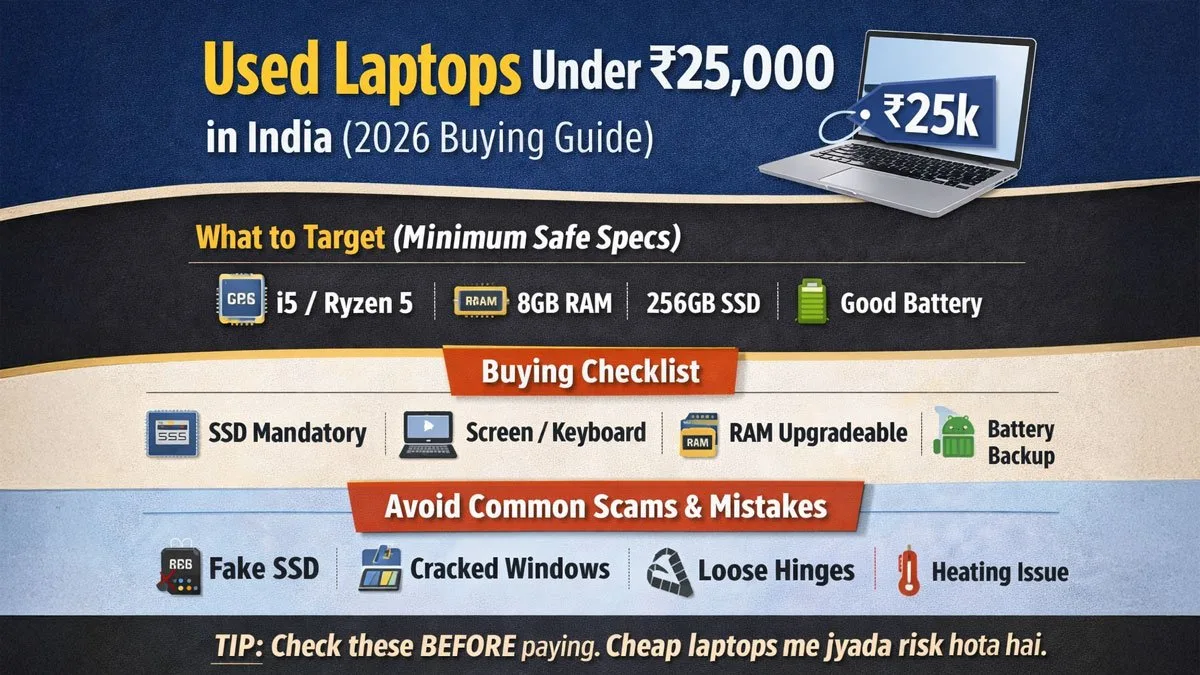
Buying a laptop in India under ₹25,000 is difficult if you’re buying new. Most new laptops in this range are:
slow
low build quality
limited performance
frustrating for multitasking
That’s why used laptops under ₹25,000 have become a big market, especially in Tier-2/3/4 cities where value matters.
But here’s the truth:
A used laptop can be a great deal or a total loss — there is no middle.
You either get a smooth laptop for years, or you end up with heating issues, a weak battery, a broken keyboard, and a slow HDD system that wastes your time daily.
So in this guide, I’ll show you:✅ What specs are worth buying✅ what to avoid✅ How to test a used laptop before payment
Used laptop me SSD mandatory hai. HDD wale laptop se sirf headache hota hai.
Is it worth buying a used laptop under ₹25,000?
✅ Yes, if you follow the rules.
A used laptop under ₹25k is worth it if:
It has an SSD (or an SSD can be added)
At least 8GB RAM (or upgrade possible)
Screen + keyboard are healthy
The device doesn’t overheat
Return option/warranty available, or you can test properly
If you ignore these, you may “save money” but lose productivity and peace of mind.
What kind of laptop can you realistically get in ₹25,000 (used)?
Let’s keep expectations real.
✅ You CAN get:
i5 6th/7th gen laptops (sometimes 8th gen if lucky)
8GB RAM laptops (or upgradeable)
SSD upgrades possible
business laptops (Dell Latitude / HP EliteBook) in old models
solid build quality (better than new ₹25k laptops)
❌ You should NOT expect:
gaming performance
premium new battery life
latest generation processors
dedicated graphics (unless old)
Best Specs to Target (Safe Minimum)
If you buy used, specs matter more than brand.
✅ Best minimum target specs for ₹25k
Processor: i5 6th Gen+ / Ryzen 3 / Ryzen 5 (older)
RAM: 8GB minimum (upgradeable)
Storage: 256GB SSD minimum
Display: No flicker / no lines / no patches
Battery: Should hold at least 1.5–3 hours (depending on model)
Rule: If a laptop has i5 but runs on HDD, it will still feel slow.
Used Laptops Under ₹25,000 – Recommended Laptop Types
Instead of pushing random models, I’ll tell you the best categories that are safest and most value-for-money.
✅ 1) Business laptops (Best option)
These are made for long use, strong bodies, and better keyboards.
Examples:
Dell Latitude series (older)
HP EliteBook series (older)
Lenovo ThinkPad series (older)
These often feel better than new budget laptops.
✅ 2) Student laptops (balanced)
These are okay for:
classes
Office
browsing
YouTube
light multitasking
But check hinges + keyboard.
❌ 3) “Too flashy” gaming laptops (avoid under 25k)
In this budget, gaming laptops will be:
very old
heating issues
expensive repairs
Avoid.
✅ Used Laptops Under ₹25,000 – Specs Guide
Laptop TypeBest ForMust-HaveAvoidNotesBusiness LaptopOffice + long lifeSSD + 8GB RAMdamaged hingesbest valueStudent Laptopstudy + browsingSSDweak keyboardbalancedOld Gaming Laptopheavy tasksGPU + coolingheating/fansrisky
Used Laptop Buying Checklist (Must Follow)
This is the checklist that saves money.
✅ 20 checks before paying
A) Performance & Storage
SSD installed? (mandatory)
Is RAM 8GB or upgradeable?
Boot speed (should be fast)
Laptop freezes/lags? (red flag)
Storage health (SSD/HDD health)
B) Screen & Body
Screen has lines/flicker?
Dead pixels or patches?
Hinges tight or loose?
Body cracks near hinges?
Keyboard missing keys?
C) Input & ports
All keys working?
Trackpad working?
USB ports working?
HDMI/VGA port working?
Audio jack working?
D) Battery, charging & heating
Charger original/good quality?
Battery backup acceptable?
Heating test (10 min YouTube + browsing)
Fan noise abnormal?
Laptop shuts down suddenly? (avoid)
The no.1 Mistake People Make Under ₹25k
They buy laptops like this:
i7 + 16GB RAM + 1TB HDD
And they feel excited.
But that laptop becomes:
slow
heating
failure risk
maintenance burden
✅ The correct approach
Prefer:✅ i5 + 8GB + SSDover❌ i7 + HDD + heavy heating
SSD vs HDD (Don’t Ignore This)
If you buy used under ₹25k:
✅ SSD is mandatory because:
Laptop becomes 5x faster
Windows runs smooth
apps open quickly
less hanging
❌ HDD problems in used laptops:
very slow
high failure risk
noise and overheating
daily irritation
Simple: HDD laptop = regret laptop.
Used Laptop vs New Laptop under ₹25,000
If you’re confused:
✅ Used laptop is better if:
You want better build quality
You want smoother performance
You want i5-level performance
✅ New laptop is better if:
You want a warranty and peace of mind
basic work only
You’re okay with lower performance
Where to Buy Used Laptops Safely?
Three safe options:
✅ 1) Trusted platforms with return policy
Safest for first-time buyers.
✅ 2) Local laptop shop with checking + short warranty
Good if the shop is reliable.
✅ 3) Direct person-to-person deal
Only if you can check everything.
Direct deal cheap milega, but risk double hota hai.
Common Scams in the Used Laptop Market
Avoid these:
❌ “SSD installed”, but it’s low quality/fake
❌ “Battery new” but backup still bad
❌ “No issues” but keyboard dead keys
❌ Windows cracked / malware
❌ Loose hinge problem hidden
If the seller rushes you → avoid.
FAQs – Used Laptops Under ₹25,000
Resellbazaar Advice
If you buy used laptops for under ₹25,000, you can get one that feels better than a new budget laptop.
But if you buy blindly:You will waste money, time, and daily peace.
✅ Target SSD + healthy condition.✅ Avoid heating + hinge issues.✅ Don’t fall for “big spec numbers”.