
How to Identify a Duplicate Display in Used Mobiles
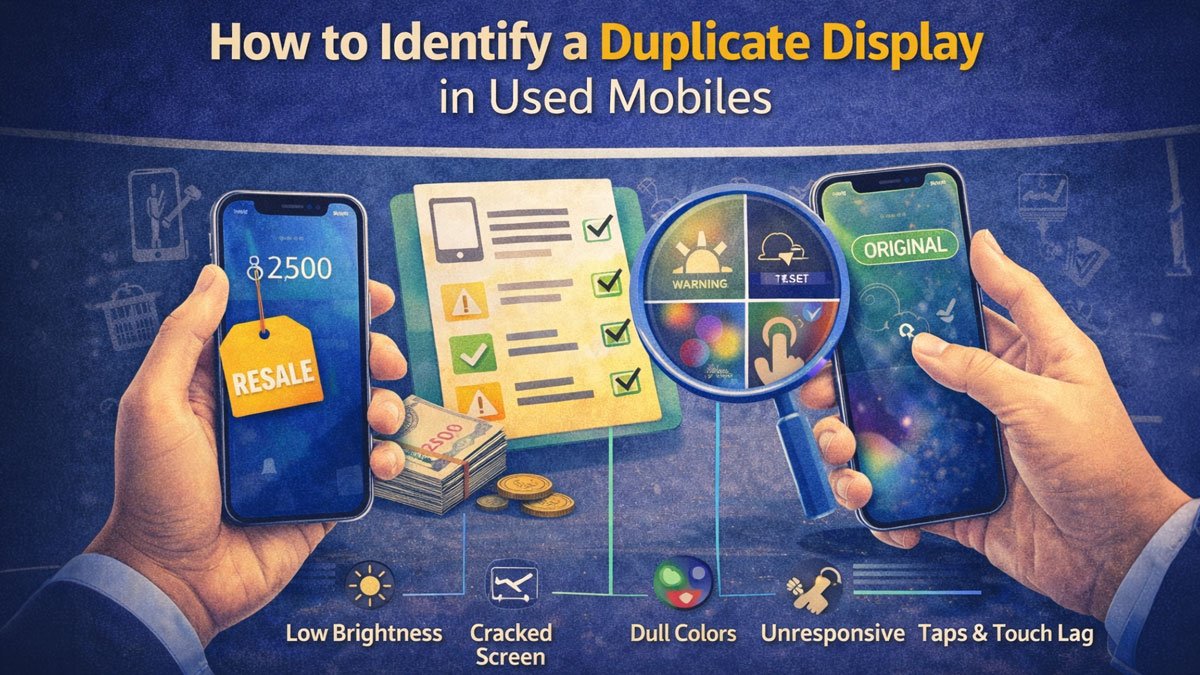
Three months ago, Priya bought a ‘mint condition’ iPhone 12 from a seller in Delhi for ₹32,000. The screen looked perfect. There were no scratches, the colors were bright, and the touch worked smoothly.
A week later, her screen began to show ghost touches. Soon, dead spots appeared, and the auto-brightness stopped working. At the Apple service center, she was told, “This isn’t an original Apple display. It’s a Chinese copy.”
She paid to have an original screen installed. But that was not even the worst part.
The fake display damaged her phone’s logic board because of voltage differences. The total repair cost was ₹18,000. The seller blocked her number.
Most buyers do not realize that nearly 60% of used phones in India have had their displays replaced. More than half of those replacements are fake or refurbished screens sold as original.
You cannot always tell just by looking. However, there are simple tests that reveal fake screens in seconds. These are tests that sellers hope you do not know about.s you exactly how to spot duplicate displays before you buy, whether it’s an iPhone, Samsung, OnePlus, or any other brand.
Why Duplicate Displays Are a Bigger Problem Than You Think
It’s Not Just About Picture Quality
Most people think a duplicate screen just means worse colors. That’s wrong.
Real problems with duplicate displays:
- Touch issues: Ghost touches, delayed response, dead zones that don’t register taps
- Brightness problems: Can’t get bright enough in sunlight or dim enough indoors
- Auto-brightness failure: Sensor incompatibility means manual brightness only
- Face ID/fingerprint death: Many duplicates kill biometric sensors permanently
- Overheating: Wrong components draw more power, generating excess heat
- Shorter lifespan: Cheap OLED panels degrade in 6-12 months instead of 3-4 years like originals
- Potential board damage: Voltage mismatches can fry other components over time
- Resale value crash: A phone with duplicate parts loses 30-40% more value
The Economics of Screen Fraud
Here’s why sellers do this:
| Screen Type | Cost to Seller | Sold to You As | Their Profit |
|---|---|---|---|
| Original Apple | ₹12,000-15,000 | Original | Honest sale |
| High-copy Chinese | ₹3,000-4,000 | “Original” | ₹8,000-11,000 extra |
| Low-copy Chinese | ₹1,500-2,000 | “Original” | ₹10,000-13,000 extra |
A seller who buys a broken iPhone, puts a ₹2,000 fake screen, and sells it as “original display” pockets an extra ₹10,000+ per device. Now multiply that by thousands of phones sold each month.
That’s why screen fraud is so common.
Types of Replacement Displays You’ll Encounter
1. Original OEM (What You Want)
These screens are made by the phone’s manufacturer or its official supplier. For iPhones, only Apple makes real original screens. For Samsung phones, only Samsung produces them.
Characteristics:
- Perfect color accuracy
- Smooth 120Hz/90Hz (if phone supports it)
- All sensors work (proximity, ambient light, face recognition)
- Same touch sensitivity as the new
- Proper oleophobic coating (fingerprint resistance)
- Lifespan: 3-5 years
Price: ₹8,000-15,000 for flagships
2. Original Refurbished (Acceptable Middle Ground)
These are original screens taken from damaged phones, then refurbished and sold again. Good refurbishers test them carefully before selling.
Characteristics:
- 90-95% of original quality
- Might have very minor color variation
- All features work properly.
- Slight coating wear is possible
- Lifespan: 2-3 years
Price: ₹5,000-8,000 for flagships
Where you’ll find them: Reputable repair shops, authorized third-party service centers
3. High-Quality Aftermarket (Incell/OLED Copies)
Some Chinese manufacturers make high-quality copies using similar technology. These are often called “A+ grade” or “Super Copy” screens.
Characteristics:
- 80-85% of original quality
- Colors are slightly oversaturated or cooler
- Touch works well initially.
- Face ID/fingerprint might not work.
- Auto-brightness often fails
- Lifespan: 1-2 years
Price: ₹3,000-5,000
Be careful: Some sellers try to pass these off as “original Apple pulled” or “original Samsung” screens.
4. Low-Quality Duplicate (TFT/LCD Cheap Copies)
These are budget replacements made with lower-quality technology. For example, an OLED phone might get an LCD screen instead.
Characteristics:
- Noticeably worse colors (washed out, poor blacks)
- Slower touch response
- Visible pixels or graininess
- Many features don’t work.
- Screen feels different (not as smooth glass)
- Lifespan: 6-12 months
Price: ₹1,500-3,000
You’ll often find these on phones from unauthorized repair shops or on used phones sold at big discounts.
How to Spot a Duplicate Display: Visual Tests
Test 1: Check the Oleophobic Coating
Original screens have an oil-repelling coating, so fingerprints come off easily.
How to test:
- Touch the screen with a slightly oily finger.
- Wipe with your shirt or any cloth.
- Observe how easily fingerprints disappear.
On an original screen, fingerprints come off with one swipe, and the glass feels smooth and slippery.
On a duplicate screen, fingerprints smudge and stick; you need to wipe several times, and the glass feels more grippy.
This test works best on phones less than a year old, since older original screens can also lose their coating.
Test 2: The Pure Black Test (For OLED/AMOLED Screens)
Original OLED screens show perfect black because their pixels turn off completely. Duplicates, especially LCD replacements, appear gray rather than truly black. brightness to 100%
- Display a pure black image (search “pure black wallpaper” on Google Images)
- Go to a dark room
- Look for any light bleeding from the screen.
With an original OLED, you won’t see any light at all; the screen looks completely off.
A duplicate LCD will have a visible backlight glow, and the black areas will appear gray rather than truly black.
Duplicate cheap OLED: Slight light bleed around edges or uneven blacks
This test works on iPhone X and newer, Samsung Galaxy S/Note series, OnePlus 6 and newer, and most flagship phones.
Test 3: Color Gradient Test
Original displays maintain color accuracy at any brightness, while duplicates often exhibit color bands or shifts.
How to test:
- Display a smooth gradient image (Google “color gradient test”)
- Set brightness to 50%
- Look for visible “steps” or bands in the gradient.
On an original screen, colors transition smoothly with no visible bands.
Duplicate screen: Visible color steps, banding effect, uneven transitions
Test 4: Viewing Angle Test
Original screens maintain their color and brightness even when viewed from the side, but cheap duplicates often change color significantly.
How to test:
- Display a white or colorful image.
- Tilt the phone to extreme angles (45-60 degrees)
- Watch how colors change.
On an original screen, colors barely shift, and brightness stays about the same.
Duplicate screen: Colors turn yellowish, greenish, or pinkish; significant brightness drop
Test 5: Screen Uniformity Test
Original screens have even brightness and color all across the display.
How to test:
- Display a solid white image (full brightness)
- Look carefully across the whole screen.
- Check corners and edges, especially.
On an original screen, the white looks perfectly even everywhere.
A duplicate screen might have a yellow tint in the corners, spots that are brighter or darker, or other color changes.
Test 6: The Watermark Check (iPhones)
Some Chinese-made duplicates show visible watermarks when viewed from certain angles.
How to test:
- Display a white screen.
- Tilt the phone at a 45-degree angle.
- Look for faint text or patterns.
An original screen never has any watermarks.
A duplicate screen may display faint words such as “LCD,” “IPS,” or Chinese characters.
How to Spot a Duplicate Display: Functional Tests
Test 7: Auto-Brightness Test
Original screens have well-calibrated ambient light sensors. Many duplicate screens either turn this feature off or it works poorly.
How to test:
- Turn on Auto-Brightness in Settings> Display.
- Cover the sensor area at the top of the screen near the speaker.
- Next, uncover the sensor and let it face a bright light.
- See how fast and accurately the screen changes brightness.
Original screen: Adjusts brightness smoothly and right away, and works every time.
Duplicate screen: Doesn’t adjust at all, or adjusts poorly/slowly, or jumps erratically
For iPhones: If the auto-brightness option is missing or cannot be selected, the screen is almost certainly a duplicate.
Test 8: True Tone Test (iPhones Only)
True Tone changes the screen color to match the lighting around you. Only original Apple screens fully support this feature.
How to test:
- Open Settings and select Display & Brightness.
- Check if you see the “True Tone” option.
- If you find it, turn it on and try it in different lighting conditions.
Original screen: True Tone option exists and works (screen warms in yellow light, cools in white light)
Duplicate screen: The True Tone option is missing, cannot be selected, or does not change the screen colors.
Works on: iPhone 8 and newer
Test 9: 3D Touch / Haptic Touch Test
Original screens support pressure sensitivity properly. Duplicates often lose this functionality.
How to test:
- Press firmly on the keyboard spacebar. The cursor should move if it works.
- Press firmly on app icons to bring up quick actions.
- Force press in Control Center
Original screen: All pressure-based features work smoothly
Duplicate screen: Hard presses do not work, or responses are inconsistent.
Works on: iPhone 6s to iPhone XS Max (3D Touch), iPhone XR and newer (Haptic Touch)
Test 10: Face ID / Touch ID Test
This is the most definitive test for iPhones and many Android flagships.
For Face ID (iPhone X and newer):
- Open Settings and select Face ID & Passcode.
- Try setting up Face ID.
- If already set up, try to add an alternate appearance.
Original screen: Face ID setup completes successfully; works in all lighting conditions
Duplicate screen: Face ID setup fails with a message like “Face ID is not available,” or Face ID works but is unreliable, especially in low light.
For Touch ID (iPhone 5s to 8, Samsung, etc.):
- Try adding a new fingerprint in Settings.
- Check how quickly the phone unlocks.
Original screen: Touch ID works as expected and quickly recognizes your fingerprint.
Duplicate screen (common issue): Touch ID is completely disabled, or “fingerprint sensor not working” error
Note: Some high-quality duplicate screens still support Face ID or Touch ID. This test is not perfect, but it will catch most low-quality duplicates.
Test 11: Proximity Sensor Test
The proximity sensor turns off your screen during calls, but many duplicate screens break this feature.
How to test:
- Make a call, even if it is just to your voicemail.
- Cover the top of the screen with your hand.
- The screen should turn off.
- When you remove your hand, the screen should turn back on.
Original screen: Responds instantly and reliably.
Duplicate screen: Screen doesn’t turn off, or has delayed/erratic response
Why this matters: Without a working proximity sensor, your cheek will press buttons during calls.
Test 12: Refresh Rate Test (120Hz/90Hz Phones)
If your phone came with a high refresh rate display, duplicate screens often cannot match the same smooth feel.
How to test:
- Turn on 120Hz or 90Hz in Settings> Display> Refresh Rate.
- Scroll quickly through Settings or Twitter.
- Compare to a video of that phone scrolling (search YouTube)
Original screen: Scrolling is very smooth, with no stuttering.
Duplicate screen: Option might be grayed out, or scrolling looks choppy even with 120Hz “enabled.”
Works on: OnePlus 7 Pro and newer, Samsung Galaxy S20 and newer, iPhone 13 Pro and newer
Software Tests That Expose Duplicate Screens
Test 13: Hidden Service Menu (Android)
Many Android phones have hidden diagnostic menus showing screen information.
For Samsung:
- Open Phone app
- Dial *#0*#
- Tap “RED,” “GREEN,” “BLUE” tests
- Look for display information.
For OnePlus/Xiaomi:
- Dial *#808# or *#*#6484#*#*
- Check display tests
What to look for:
- Screen manufacturer name (should match phone brand or known suppliers like Samsung Display, LG Display, BOE)
- Panel type (should say OLED/AMOLED for phones that came with it, not LCD/TFT)
Duplicate screen indicator: Shows “Unknown,” generic manufacturer name, or wrong panel type
Test 14: Battery Drain Test
Duplicate screens often consume more power than the original, affecting battery life.
How to test:
- Charge phone to 100%
- Use it normally for 2 hours with brightness at 50%
- Check Settings → Battery → Screen usage percentage
Original screen: Should match typical usage for that model (check GSMArena or user forums for baseline)
Duplicate screen: Much higher battery drain (20-30% more than normal) or unusually low (sensors disabled)
Note: Only useful if you can compare to known battery benchmarks for that phone model.
Test 15: Screen Recording Comparison
Some duplicate screens have refresh or response issues that are obvious when recorded.
How to test:
- Screen record while scrolling rapidly through a webpage
- Play back the recording in slow motion.
- Look for stuttering or frame skips.
Original screen: Smooth playback, even in slow motion
Duplicate screen: Visible stuttering, uneven frame pacing
Brand-Specific Detection Methods
iPhones: The Serial Number Trick
Every original iPhone screen has a unique serial number recognized by Apple’s system.
How to check:
- Go to Settings → General → About.
- Look for the “Display” section (iOS 16+) or run Apple Diagnostics.
- If Apple repaired the screen, they will have records.
What to do:
- Ask the seller if the screen has been replaced.
- If they say no but tests show a duplicate, you have caught them in a lie.
- If they say yes with the original, ask for the Apple service invoice.
Red flag: The seller gets defensive when asked about screen replacement history.
Samsung: The Knox Warranty Void Check
Samsung Knox shows if there have been unofficial repairs.
How to check:
- Download the “Samsung Members” app.
- Go to “Get Help” → “Interactive Checks.”
- Run “Display” test
- Check Knox status in Settings → About Phone
Knox 0x0 = Original screen (or official Samsung repair)
Knox 0x1 = Warranty void = Unauthorized repair (likely duplicate screen)
Note: Knox tripping does not always mean a screen replacement, but it is a strong indicator.OnePlus/Oppo/Realme: The Netflix HDR Test
Original AMOLED displays on these phones support Widevine L1 for HD Netflix. Duplicates often do not.
How to check:
- Download the “DRM Info” app from the Play Store.
- Check the Widevine level
Widevine L1 = Original screen
Widevine L3 = Duplicate screen (or other hardware tampering)
Also test:
- Open Netflix → Play any HDR content.
- If it does not play HD or HDR, the screen is likely a duplicate.
Common Mistakes Buyers Make
Mistake 1: Testing Only in the Seller’s Lighting
Duplicate screens might seem fine in a dimly lit room, but their flaws become obvious in bright sunlight or total darkness.
To avoid this mistake, test the phone outside in direct sunlight and also in a dark room. Try the pure black test and check the viewing angles in natural light.
Mistake 2: Trusting “Feels Smooth” Touch Response
You won’t feel the 15-30ms input lag difference between an original and a duplicate screen with your finger, but you can see it with your eyes.
To test this, play a fast-paced game like Subway Surfers or BGMI. Original screens respond instantly, while duplicates have a slight, mushy delay.
Mistake 3: Accepting “Original Pulled from Another Phone”
Some sellers say they used an “original screen from a broken phone.”While this might be true, it’s also the most common excuse for selling refurbished or duplicate screens.
To check, ask questions like, “If it’s original, why doesn’t Face ID work?” or “Can you show me the invoice for this original screen?” See how they respond.
Mistake 4: Believing “It’s Expensive, So It Must Be Original”
Sellers often price phones with duplicate screens just ₹2,000-3,000 lower than those with original screens, since buyers assume a price close to market value indicates good quality.
Fix: The price doesn’t reflect screen quality. A ₹35,000 used iPhone can still have a ₹2,000 Chinese screen. Do the tests.
Mistake 5: Skipping Tests Because “Screen Looks New”
A new duplicate screen may look perfect during the first week, but problems often show up soon after.
All the tests in this guide take less than 10 minutes in total. Even if the screen looks flawless, make sure to run them.
Mistake 6: Not Checking in Phone Settings
Many duplicate screens turn off certain software features, which can reveal them right away.
Before doing any physical tests, open Settings and go to Display. Make sure all standard features, such as True Tone, auto-brightness, and 120Hz, are available and working.
Resellbazaar Tips for Buying Used Phones with Original Screens
1. Ask for Original Purchase Invoice
If the seller says the phone’s screen has never been replaced, ask to see the original purchase bill.
This works because most original buyers keep their invoices, especially for expensive phones. If someone says they lost it, they might be hiding something.
Check if the phone’s condition matches its purchase date. If a phone bought two years ago still has a perfect screen, that could be a red flag.
2. Meet at an Authorized Service Center
Ask, “Can we meet at theApple or Samsung service center? I’ll pay for a quick diagnostic check.”
What happens:
- Honest sellers agree immediately.
- Scammers make excuses or ghost you.
Service centers usually charge ₹200 to ₹500 for a diagnostic check. It’s worth the cost.
3. Use the “I’m Taking It to the Service Center Tomorrow” Trick
Tell the seller: “I’m buying this today, but I’m taking it to [Brand] service center tomorrow for a full check. If anything’s not original, I’m coming back.”
Watch their reaction:
- Honest sellers: “Sure, no problem. Here’s my number.”
- Scammers: “Actually, cash only, no returns, take it or leave it.”
4. Check Repair History (iPhones)
If the seller has the original Apple ID credentials:
- Go to https://support.apple.com/repair-history
- Log in with their Apple ID (have them do it)
- Check the complete repair history.
If Apple officially replaces the screen, it’ll show up here. If a third-party shop did it, Apple has no record of it.
5. The “Can You Disable Face ID Right Now?” Test
For iPhones:
Ask, “Before I pay, can you disable Face ID and show me that you can set it up again?”
Why this works:
- Original screen: Seller disables and re-enables Face ID easily
- Duplicate screen: Face ID won’t set up, seller gets exposed
They might say, “I don’t want to remove my Face ID.” Reply: “Then I’ll pass, thanks.”
6. Record a Video of All Tests
Take out your phone and record yourself performing each test while the seller watches.
Say, “I’m just documenting the phone’s condition before I buy. I hope you understand.”
Benefits:
- Sellers are less likely to engage in dishonest behavior if they know they’re being recorded.
- You have video proof if issues appear later.
- Shows you’re serious and knowledgeable (scammers often bail)
7. Negotiate Based on Screen Quality
If your tests show the screen isn’t original, don’t leave right away. Use this information to negotiate.
Sample conversation:
You: “This screen isn’t original. Face ID doesn’t work, and auto-brightness is disabled.”
Seller: “It’s a high-quality replacement.”
You: “Original screen replacement costs ₹12,000. I’ll buy this phone for ₹12,000, less than your asking price.”
Either they agree to a fair price, or you’ve confirmed they were trying to scam you at full price.
Screen Quality Comparison Table
| Feature | Original | High Copy | Low Copy |
|---|---|---|---|
| Color accuracy | Perfect | 85% match | Poor, washed out |
| Touch response | <30ms | 40-60ms | 80ms+ |
| Face ID | Works | 50/50 | Never works |
| Auto-brightness | Always works | Sometimes | Never works |
| True Tone | Always works | Never works | Never works |
| Oleophobic coating | 3+ years | 6-12 months | None/weeks |
| Refresh rate | Full 120Hz | Capped at 60Hz | 60Hz max |
| Lifespan | 3-5 years | 1-2 years | 6-12 months |
| Resale value | Full | -30% | -50% |
Will replacing a duplicate screen with an original one fix Face ID?
Not always. If Face ID already works but is unreliable, an original screen usually fixes it. However, if the Face ID module itself was damaged during the duplicate screen installation (common with rough repairs), even an original screen won't restore it. Face ID components are paired to the motherboard; if those are damaged, Face ID is permanently dead. Check with an authorized service center before paying for a screen replacement.
How can I tell if a seller replaced the screen before selling?
Check for these signs:
(1) Software features disabled (True Tone, auto-brightness missing),
(2) Phone shows repair history in Settings on newer iPhones,
(3) Slight color mismatch between screen edges and frame,
(4) Samsung Knox status shows 0x1,
(5) The screen has no oleophobic coating on a relatively new phone,
(6) Seller refuses to meet at the service center for diagnostics. Also ask directly: "Has the screen ever been replaced?" and watch their reaction.
Are refurbished original screens as good as new original screens?
Genuine, refurbished, original screens (pulled from broken phones and professionally restored) perform at 90-95% of the original new quality. However, many sellers call high-quality Chinese copies "refurbished originals." True refurbished originals maintain all functionality, Face ID, True Tone, and auto-brightness all work perfectly. They may have slightly reduced oleophobic coating life. Buy only from reputable refurbishers who offer warranties.
Why does my new screen have a yellow tint?
Three possibilities:
(1) It's a duplicate screen with poor color calibration,
(2) True Tone is enabled and adjusting for warm room lighting. Disable it in Settings to check.
(3) Night Shift mode is on—swipe down Control Center and disable it.
If the yellow tint remains after disabling both True Tone and Night Shift, and it's worse than other phones displaying the same white image, you likely have a duplicate or defective screen.
Can I check screen quality through software alone without physical tests?
Partially. Software can reveal: missing features (True Tone, auto-brightness), Knox warranty void status (Samsung), Widevine downgrade (Android), Face ID errors, and service menu information showing the wrong panel type. However, software won't catch well-made, high-quality duplicates that maintain most functions. You need physical tests (viewing angle, pure black, oleophobic coating, color accuracy) to detect those. Combine both software and physical tests for the best results.
Is it worth buying a phone with a duplicate screen if the price is heavily discounted?
Only if:
(1) The price is reduced by at least ₹10,000-15,000 for flagships (cost of original screen replacement plus your inconvenience),
(2) You're okay with missing features like Face ID or True Tone,
(3) The duplicate is high-quality, and all other parts are original.
(4) You don't plan to resell soon. For budget phones (under ₹15,000), it's rarely worth it; just buy a different unit with an original screen.
For flagships, calculate: phone price + original screen replacement cost. If that's still a good deal, maybe. Otherwise, skip it.
Conclusion: The Choice Is Yours
A phone’s screen isn’t just about appearance. It’s how you use your device every day. If the screen isn’t original, you could lose features, shorten its lifespan, or even harm other parts.
The 15 tests in this guide give you an advantage that some sellers would rather you didn’t have. Make sure to use each one.
In India’s used phone market, assuming a screen is original can be a costly mistake. Smart buyers always check and treat every screen as a duplicate until they’re sure it’s genuine.
Don’t rush. Do the tests. If a phone doesn’t pass, move on. Finding a phone with an original screen is worth the wait.r move: Next time you’re looking at a used phone, bookmark this guide. Pull it up in front of the seller. Watch how quickly honest sellers welcome the tests and dishonest ones make excuses.
Have you ever ended up with a phone that had a duplicate screen? Which tests helped you find out? Share your story in the comments below.
About ResellBazaar: We help Indians buy used electronics safely with detailed checklists, verified seller recommendations, and step-by-step guides. A great deal should never come with hidden compromises.